 by
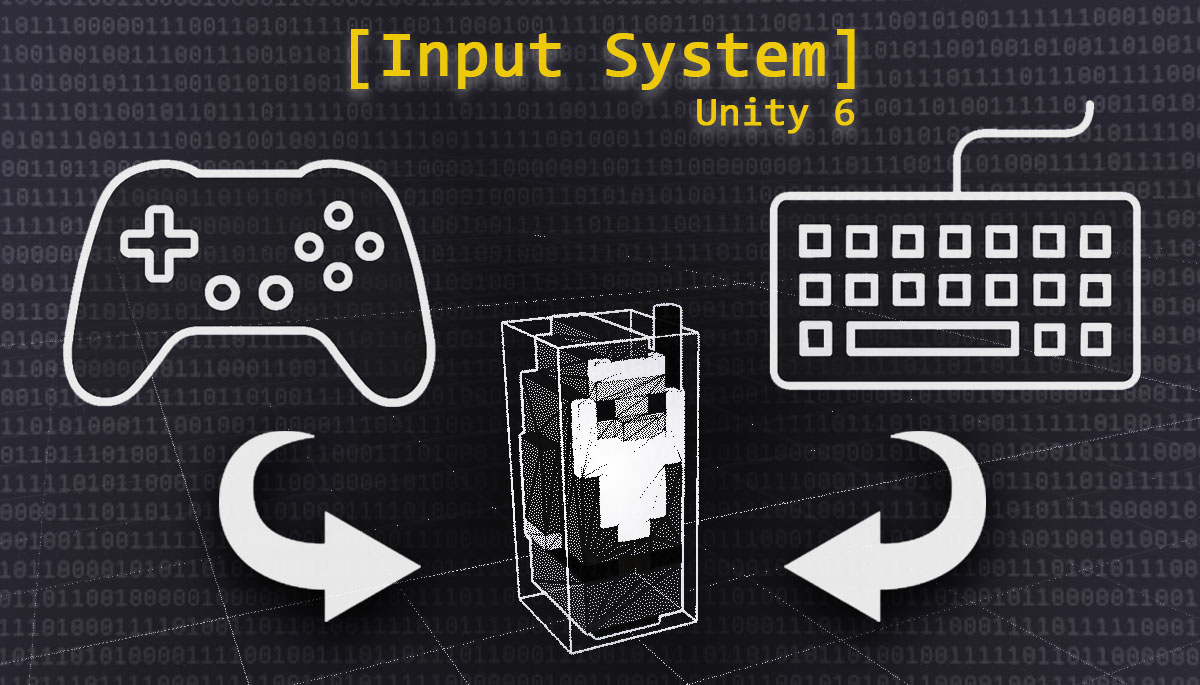
by The first task I tackled in the second iteration of “Gäelith. The Voice of the Stones” was to add the ability to control the game’s main character using a gamepad, in addition to the already available options of keyboard and UI buttons.
At first, this seemed like a simple task that shouldn’t have taken me long, but I decided to take the opportunity to refactor the entire interaction system and manage it using the Input System, Unity’s new standard.
The Right Time for Change
Although the Input System has existed since Unity 2019, it wasn’t until the arrival of Unity 6 that it became the default standard in the engine’s basic installation. This transition represents a paradigm shift in how input is handled in Unity projects, and since my main objective with this project is to learn as much as possible, I thought adding gamepad support was the perfect excuse to dive into the new system.
Advantages of the Input System over the Input Manager
The Input System represents a true change in philosophy compared to the previous Input Manager. The way user interaction is approached is very different, much more versatile, and it undoubtedly offers numerous advantages, which I’ll try to summarize below:
- Integrated multiplatform support: One of the most notable advantages is how easy it is to implement standardized controls for consoles, PC, mobile devices, or virtual reality projects. Different control schemes can coexist within the same Unity project, making multiplatform development much smoother.
- Intuitive visual configuration: The Input Actions Editor allows for quick setup with a user-friendly visual interface. It provides access to a set of built-in interactions and processors, or even the possibility to customize them according to the project’s needs. This visual interface makes control configuration much more intuitive than with the old system.
- Advanced features by default: The new system comes with advanced options like runtime key remapping, independent inputs for each player, multiple control schemes, support for local multiplayer, automatic input detection, and high-frequency sub-frame input. All these features would have required custom implementation with the old Input Manager.
- API extensibility: The Input System offers a low-level scripting API that allows you to add support for custom devices. It also makes it easier to create testing tools like bots or automated tests to speed up production.
Creating a Custom Asset
Although Unity provides a generic asset –InputSystem_Actions–, I decided to create my own custom asset for two main reasons:
- Full control: By designing my own input system, I have complete control over every aspect of how user interaction works.
- Learning: Since Gäelith is also a learning project, creating my own asset allows me to fully understand how the Input System works instead of using a pre-designed solution.
First, I created a new input actions asset using Unity’s visual editor, and then I defined the maps, actions, and bindings specific to my game.
Once the asset was configured, I used the definitions to reference my actions safely from C# code, without having to use string names to look them up. This reduces the possibility of errors and makes the code more robust.
Adjustments to Character Control
Initially, I considered using the left joystick on the gamepad to move the character, but since movement is currently “discrete”, from tile to tile, this option didn’t feel intuitive, so I ultimately chose the D-Pad.
Similarly, I refactored the character’s “continuous” movement input: I removed the input data check on every frame and replaced it with events. This way, I use less processing power and prevent the character’s movement from becoming too erratic: now it moves step by step, in a more coherent way. If in the future I allow the character to have a freer type of movement, I’ll return to the non-event-based option.
The Importance of the Single Responsibility Principle
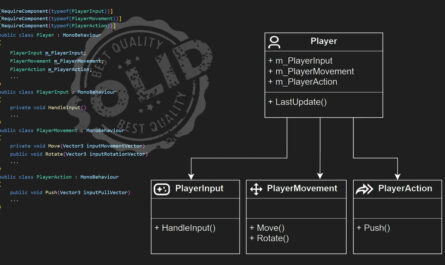
One aspect that greatly facilitated this transition was having applied the Single Responsibility Principle to the game’s architecture from the very beginning. Thanks to this architecture, I only had to modify the code specifically related to user input. All the other code affecting the character, such as movement itself or actions, was unaffected by this change. This demonstrates the value of good software architecture, especially when making major changes like this.
Conclusion
Without a doubt, the new system is more flexible, safer, and easier to use than the previous one. The visual interface and the ability to automatically generate classes from action assets greatly facilitate the developer’s work. And if you also intend to support multiple platforms and input devices, the Input System is the way to go.
Don’t wait any longer and try controlling Gäelith with your gamepad!